A dedicated tutorial section has just been added! You can now find all the video tutorials for setting up Virtual Steering across various games (ETS2, Assetto Corsa, and more) right there.
Go to the Tutorials Section.
Download the Virtual Steering Receiver to use your phone
as a steering wheel for PC games.
Virtual Steering Controller App (Mobile)
Get the mobile app to transform your smartphone into a high-performance steering controller.
VSteer Receiver (Windows)
The receiver runs on your PC and connects your phone to games.
It handles inputs and convert to xbox 360 inputs.
Verified Clean: The v2.4.0 installer scans 0 detections across every
engine on VirusTotal — no antivirus vendor flags it.
View the live VirusTotal report
or
see the scan screenshot
.
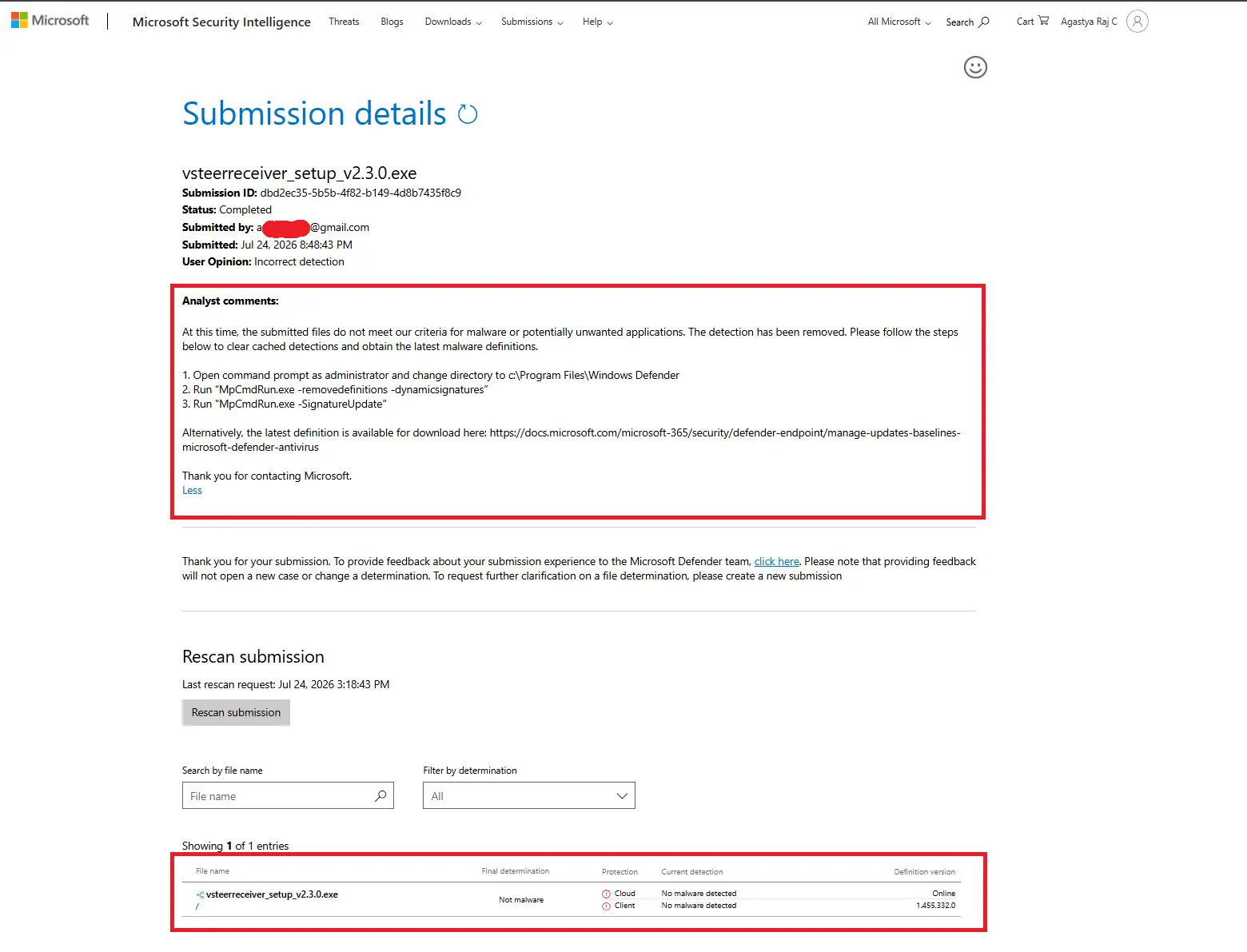
It was also submitted to and cleared by Microsoft Security Intelligence on Aug 13, 2026 (Submission ID: bea609b7-5788-4655-b4de-278339a569e0):
view that result here.
Still seeing a warning? Your Defender may be running on stale virus definitions.
Open Command Prompt as Administrator and run:
cd %ProgramFiles%\Windows DefenderMpCmdRun.exe -removedefinitions -dynamicsignaturesMpCmdRun.exe -SignatureUpdate
This only refreshes Defender's detection cache, it doesn't disable real-time protection.
Still not convinced? Don't take my word for it — download the installer and
upload it to VirusTotal yourself
to verify it independently before running it.
Verified Clean: The current v2.4.0 build scans as 0 detections across every engine on
VirusTotal,
and was separately cleared by Microsoft Security Intelligence on Aug 13, 2026.
View the scan screenshot.
Why might an antivirus still flag it? Older/rare cases can occur because the receiver uses local network sockets (Wi-Fi steering data + update checks), and the installer isn't signed with an expensive EV certificate. Neither of these makes it unsafe — see the clean scan results above.
Seeing a warning anyway? Your Defender rules may be out of date. Fastest fix:
Open Windows Security from the Start Menu.
Go to Virus & threat protection → Protection history.
Find the blocked item for VSteerReceiver, click Actions, and select Allow on device (or Restore).
Or update Defender's signatures directly: open Command Prompt as Administrator and run MpCmdRun.exe -SignatureUpdate.
Thank you for installing this application! Your support means a lot to me and for my upcoming projects.
⚙️ Important Setup Note: There are a few key settings in the app worth understanding. Please refer to the respective documentation before jumping in—Center Offset is one of the most crucial settings to calibrate for your specific game.
Crucial Note: This steering controller is just like any physical hardware (like an Xbox controller or a physical racing wheel) — it has its own learning curve. Don't lose hope on your first gameplay! Practice makes perfect, and you will find it actually has a less steep learning curve than standard thumbsticks. Push through it, because a whole different level of experience is waiting ahead!
If you enjoy the app, a quick rating on the store is hugely appreciated!